
Mockup tweets have become an essential part of modern digital communication. Whether you’re a social media manager, content creator, marketer, designer, or educator, there are moments when you need to visualize a tweet without posting it.
It could be for a presentation, a pitch deck, a client preview, a creative project, or a campaign simulation. But here’s the challenge:
Most “tweet generator” tools look fake, outdated, or poorly designed.
What you really need is a realistic, platform-accurate mockup—something that actually resembles a tweet on X (formerly Twitter) in 2025.
Let’s explore the right way to generate realistic mockup tweets and how to do it professionally.
Why People Create MockUp Tweets
Before diving into the tools, here’s why mockup tweets are so widely used:
1. For Presentations & Pitches
Mockups let agencies and freelancers show clients how a tweet will look before publishing.
2. For Visual Content & Thumbnails
YouTubers, bloggers, and brands often showcase tweets as part of storytelling.
3. For Education & Training
Teachers and coaches use mock tweets to demonstrate strategy without needing a real account.
4. For Social Media Preview & Testing
Creators want to see how a tweet will visually “sit” before committing to posting it live.
5. For Creative & Fun Use-Cases
Fictional conversations, character accounts, memes, and storytelling threads all rely on mockup tweets.
Whatever your purpose, realistic design matters. A bad mockup looks low-effort. A clean, accurate one looks professional.
What Makes a MockUp Tweet Look Real?
To generate realistic mockups, your output must reflect the actual UI of X.
Here’s what realistic mockups always include:
✓ Updated typography
✓ Accurate username + handle spacing
✓ Verified badge (if needed)
✓ Timestamp formatting
✓ New X icons (not old Twitter icons)
✓ Proper line spacing
✓ Accurate engagement icons (Reply, Repost, Like, View)
✓ Optional media (images / GIF placeholders)
A mockup that misses these details instantly looks fake.
Best Ways to Generate Realistic MockUp Tweets
There are dozens of tools online, but most are outdated—still showing the old Twitter logo or missing core UI elements.
If you want realistic, trustworthy results, you need a tool that stays updated with X’s design system.
And this is where Circleboom comes in.
Generate Realistic MockUp Tweets with Circleboom
Why Circleboom is the best option:
Circleboom offers one of the most accurate, modern, and easy-to-use tweet mockup generators on the web. Unlike generic generators, it follows the real X interface down to the spacing, iconography, and engagement layout.
With Circleboom, you can:
✓ Write any text
✓ Add username + @handle
✓ Add verification badge
✓ Add profile photo
✓ Simulate engagement metrics
✓ Add media previews
✓ Export in high resolution
✓ Create multiple mockups quickly
It’s built for professionals who need realistic outputs for:
• brands
• clients
• campaigns
• presentations
• thumbnails
• strategy documents
Circleboom is also safe and compliant—no login required, no API risks, no data sharing.
How to Generate a Realistic MockUp Tweet (Step-by-Step)
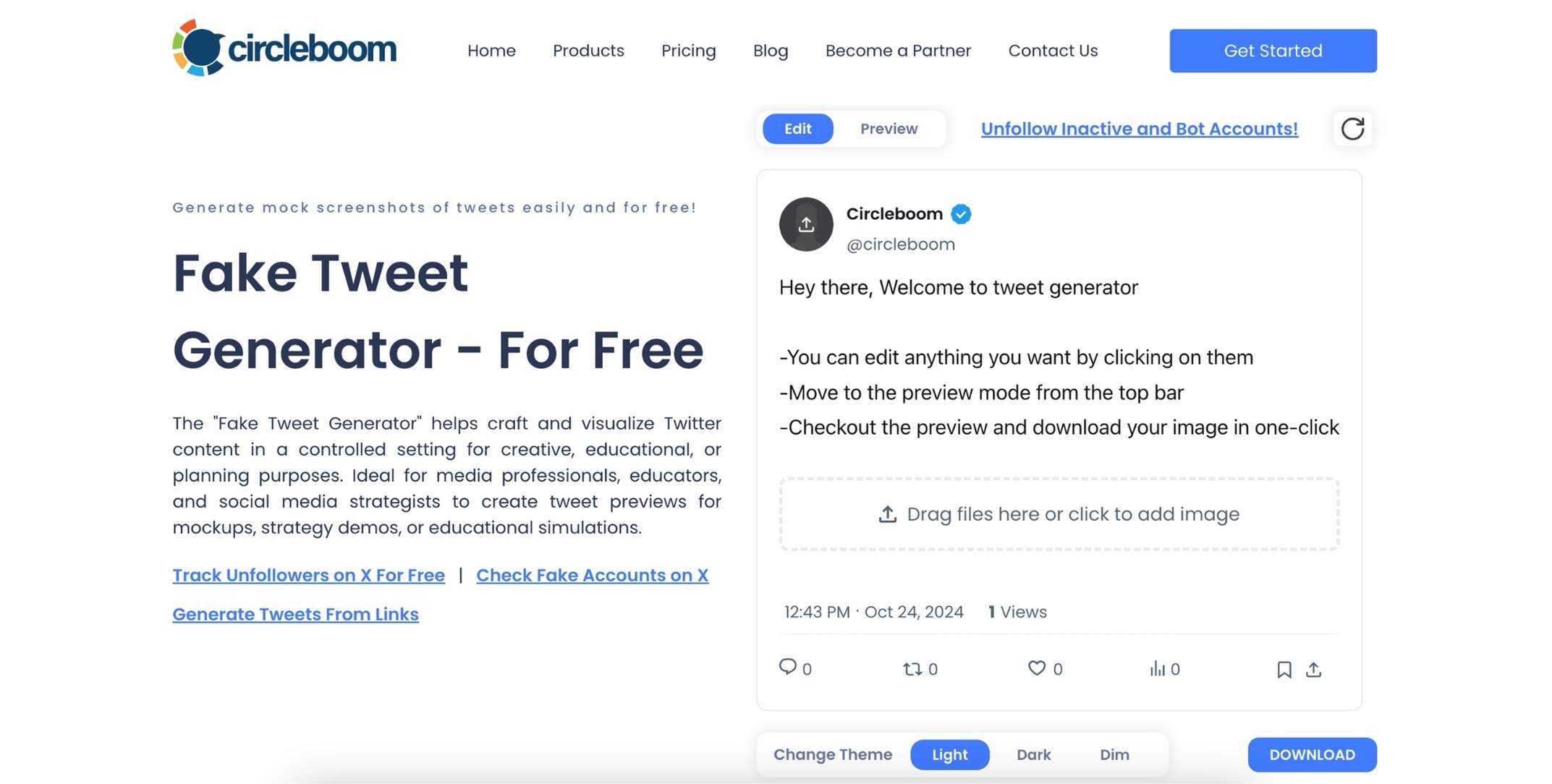
Step #1: Go to Circleboom Fake Tweet Generator
Head over to the Circleboom Fake Tweet Generator. You’ll be greeted by a simple and intuitive interface where you can start customizing your fake tweet.
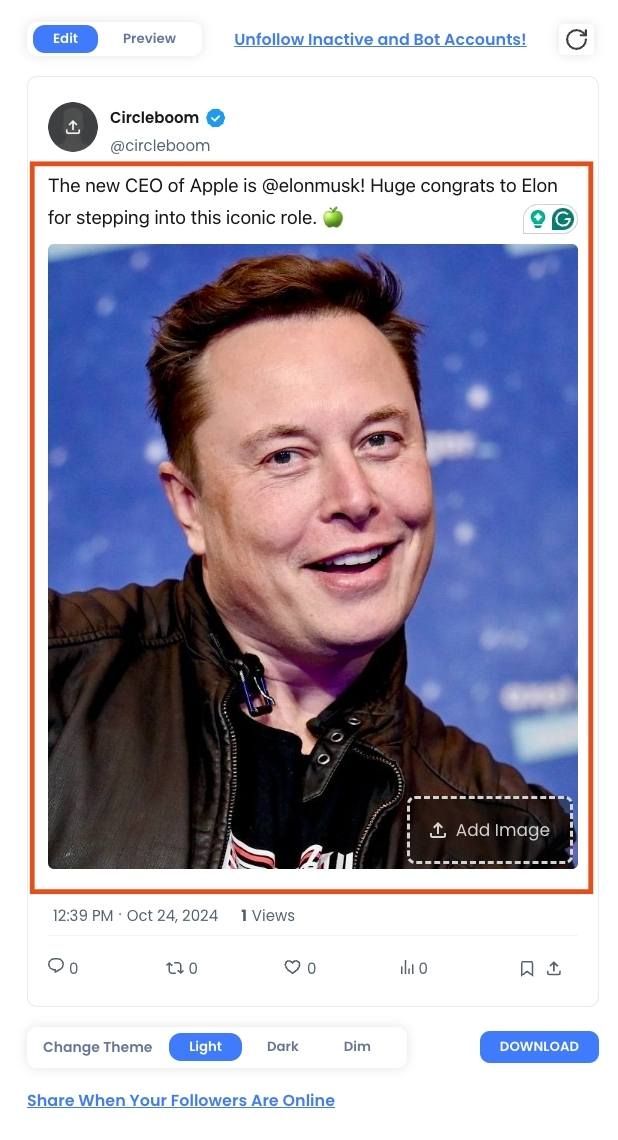
Step #2: Enter Your Tweet Text
Type the text of your fake tweet. You can add emojis, hashtags, or even @ mentions to make it more realistic. Think about the message you want to send and make it as creative or funny as you like.
Step #3:: Customize the Profile Details
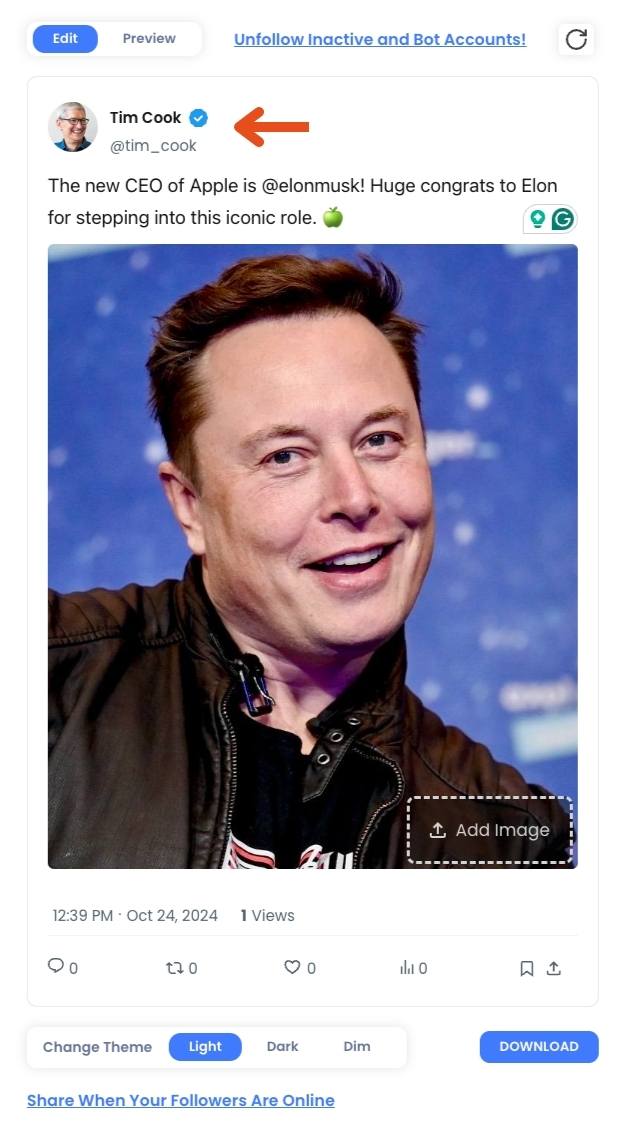
Now, you can customize the profile picture, username, and Twitter handle of your fake tweet. If you’re creating a tweet for a well-known figure or brand, you can upload their profile image and add their official Twitter handle to make it look authentic.
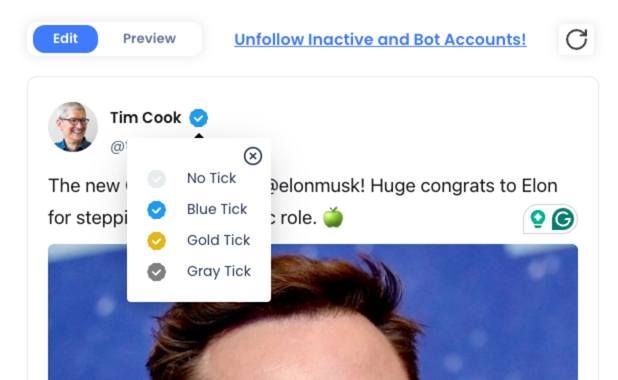
Step #4: : Choose Your Verification Badge
Circleboom lets you choose between a blue, gold, or grey verification checkmark. This feature allows you to mimic tweets from verified accounts, businesses, or government entities.
Step #5: Add Engagement Stats
Want your fake tweet to look viral? You can easily add likes, retweets, and views to the tweet. Just type in the numbers you want, and they’ll appear on the image, making your tweet look like it’s been seen by thousands of people.
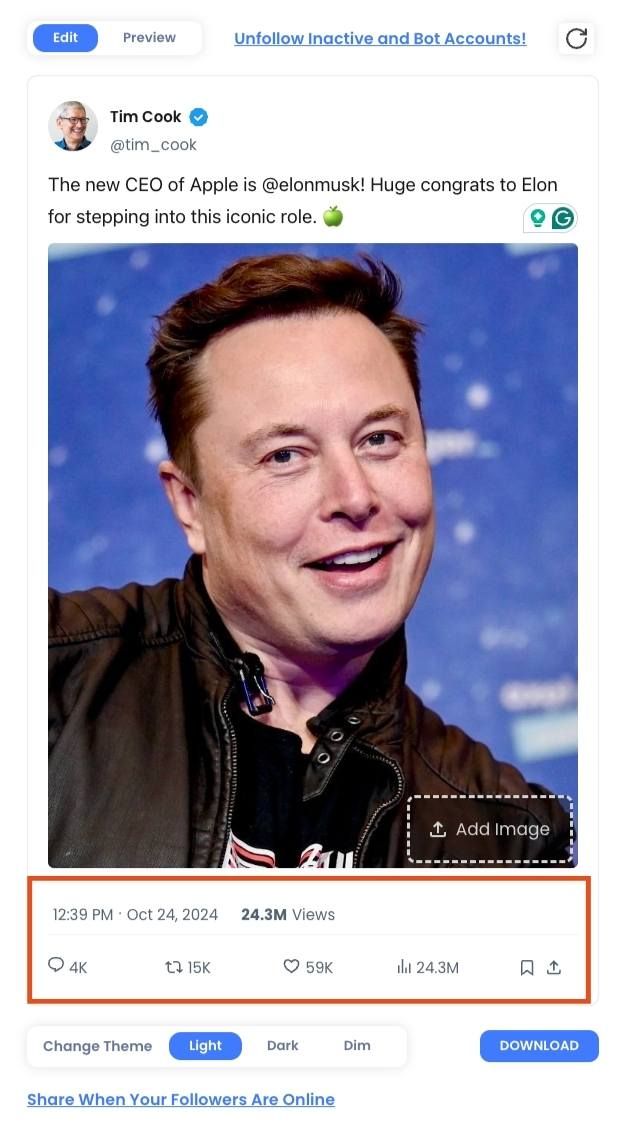
Step #6: Preview Your Fake Tweet
Once you’ve filled out all the details, click on the preview button to see how your fake tweet looks. This step allows you to review and make any last-minute changes before finalizing the tweet.
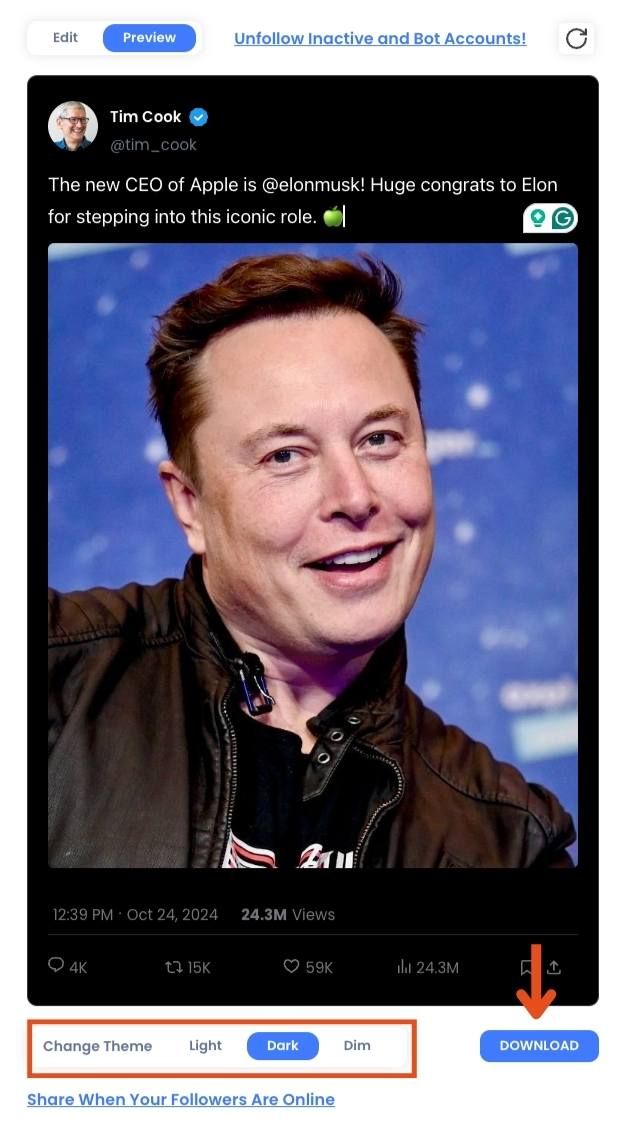
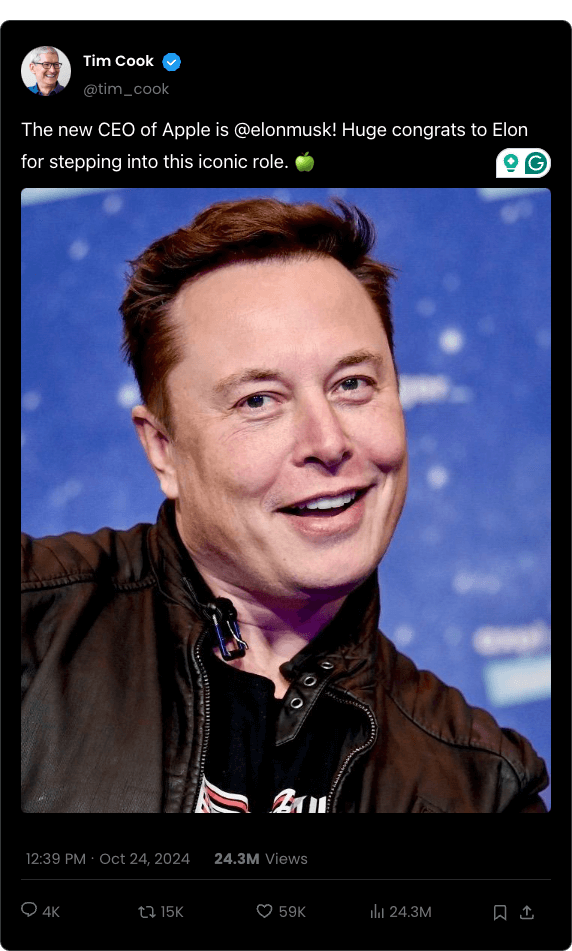
When you’re happy with your creation, simply download the image to your device or share it directly on social media. The download is quick, and you’ll have your customized fake tweet ready to go in seconds!
Here is the result:
Who Benefits Most from Tweet MockUps?
Marketers
Preview campaigns before publishing.
Agencies & Designers
Show clients what tweets will look like inside brand presentations.
Influencers & Creators
Design thumbnails and viral-style content.
Educators
Simulate examples to teach social media strategy.
Developers
Prototype UI flows using realistic sample tweets.
Mockups aren’t just decorative—they improve communication, clarity, and creative workflow.
Why Circleboom Outperforms Other MockUp Tools
While many generators exist, Circleboom stands out in three ways:
1. Always Updated with X’s Latest Layout
When X changed icons, spacing, and font, Circleboom updated instantly.
2. Professional-Quality Output
The mockups look exactly like real tweets, not cartoon versions.
3. Secure, No-Login Workflow
No risk, no permissions, no account access.
For creators and marketers who need reliability, Circleboom is the industry standard.
Final Thoughts: MockUp Tweets Are Essential Tools in 2026
Mockup tweets are more than fun visual content—they’re powerful tools for:
• planning
• testing
• learning
• storytelling
• presenting
• designing
• pitching
If you want mockups that look real, professional, and updated for 2026, Circleboom gives you the best experience.
Your tweet mockup should look like the real thing—
and with Circleboom, it does.